

Domain Transfer: https://www.dynadot.com/domain/transfer?rsctrn=webbydiane
Down & Dirty — Step 1: Buy Your Domain Name
Before you begin: Have a domain-name idea, a backup choice, an email address you can access, and a payment method ready. Dynadot is our example registrar; screens and prices may change.
Affiliate disclosure: The Dynadot link in the published guide may be an affiliate link. WebByDiane may earn a referral commission at no additional cost to you.
1. Search for Your Domain
-
- Open Dynadot, at https://www.dynadot.com/domain/search?rscreg=webbydiane
- Enter the domain name you want in the search box. Click the magnifying glass.
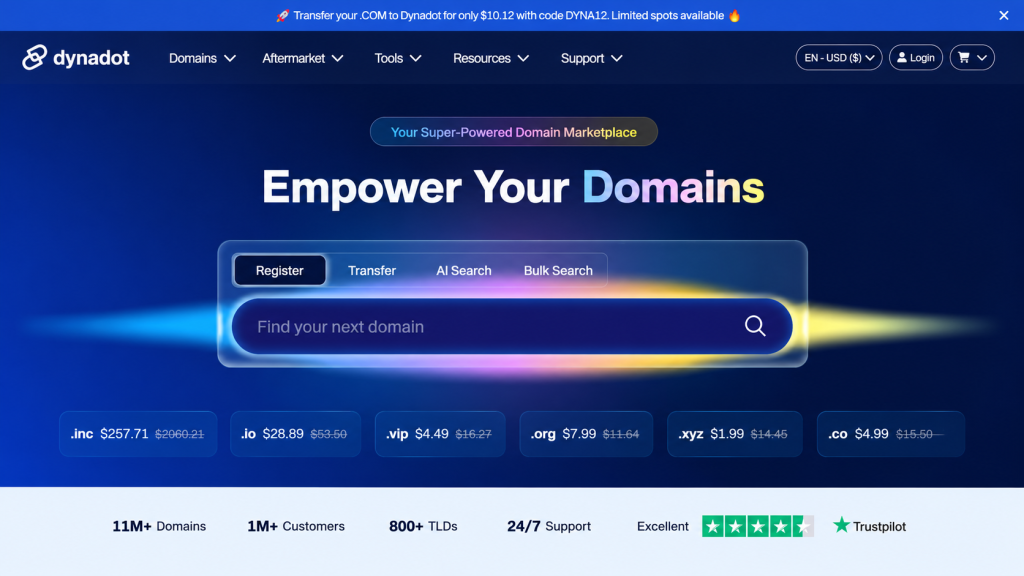
Quick tip: Try your preferred name first. If it is taken, search for another idea.
2. Check Availability
Look for the availability message beside your domain. Review the registration price and click the cart icon beside the domain you want.
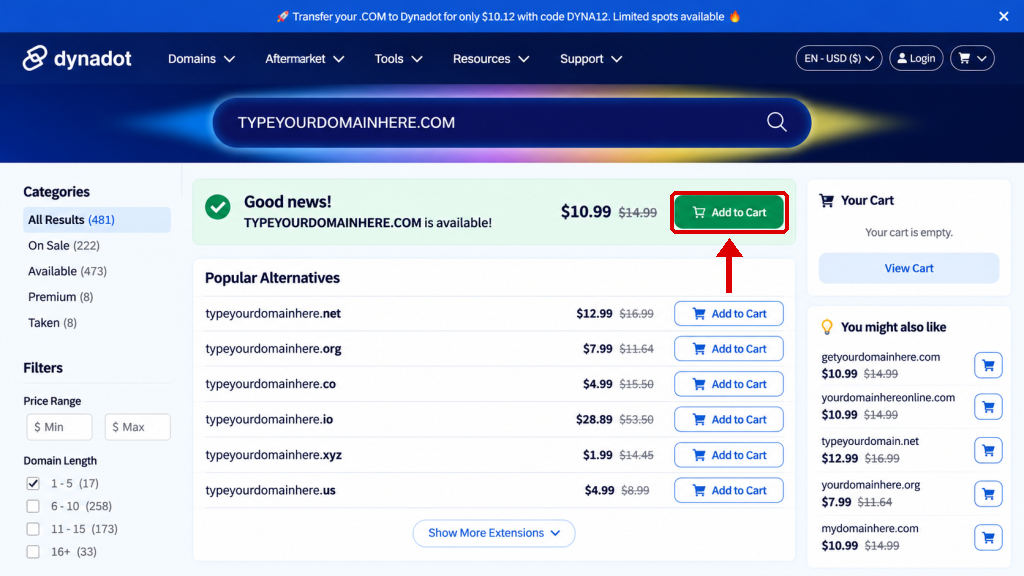
Quick tip: Choose the domain you actually want. You do not need to buy alternative extensions or bundles.
3. Open Your Cart
Click the shopping-cart icon in the upper-right corner. When the small cart opens, click View Cart.
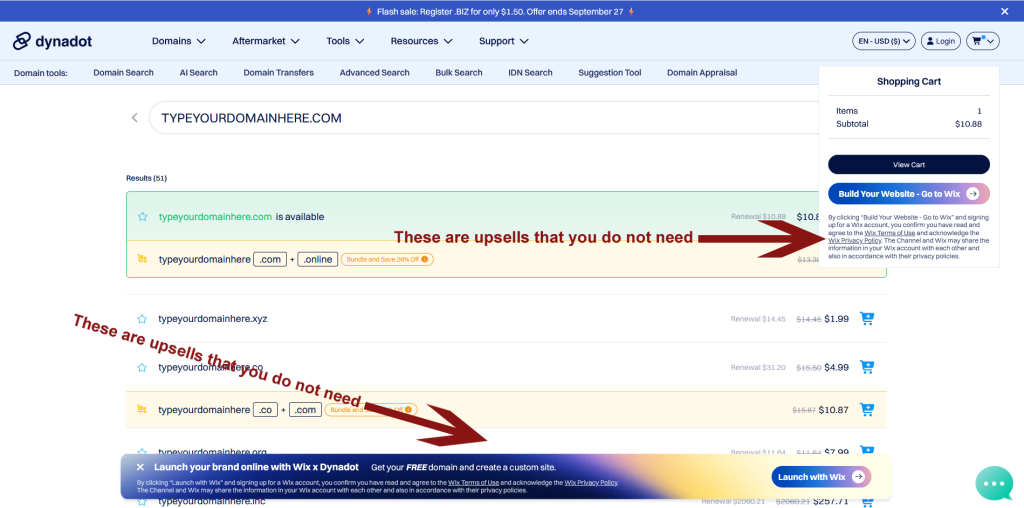
Quick Tip: Watch for Upsells!
See the red arrows in the screenshot? They point to additional products and services you do NOT need. Skip those offers and click View Cart to continue.
4. Review Your Order
Check the spelling of your domain, the registration period, the renewal price and the total. Remove anything you did not intend to buy. Click Checkout.
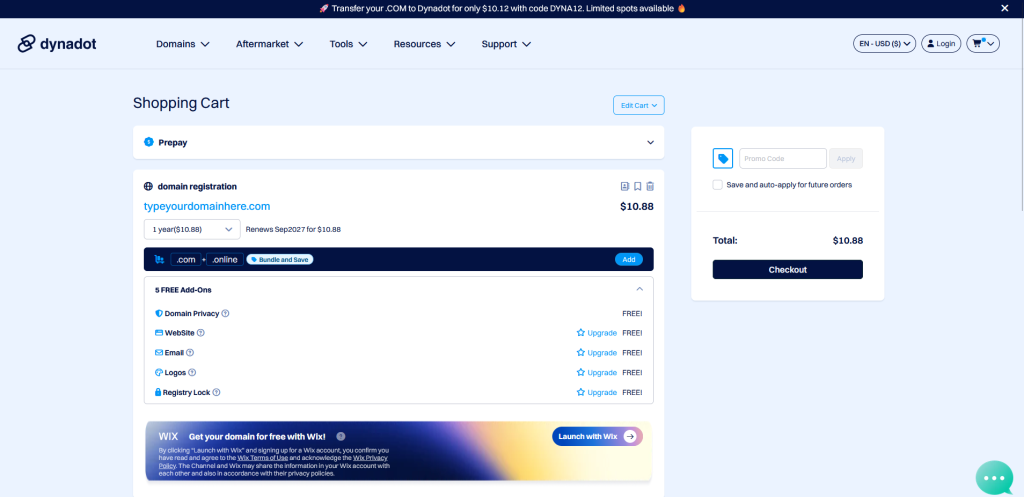
Quick tip: The page may show additional offers. You only need the domain registration for this step.
5. Create Your Account and Pay
Create a Dynadot account, or sign in if you already have one. Complete any required verification, review your payment details and finish checkout.
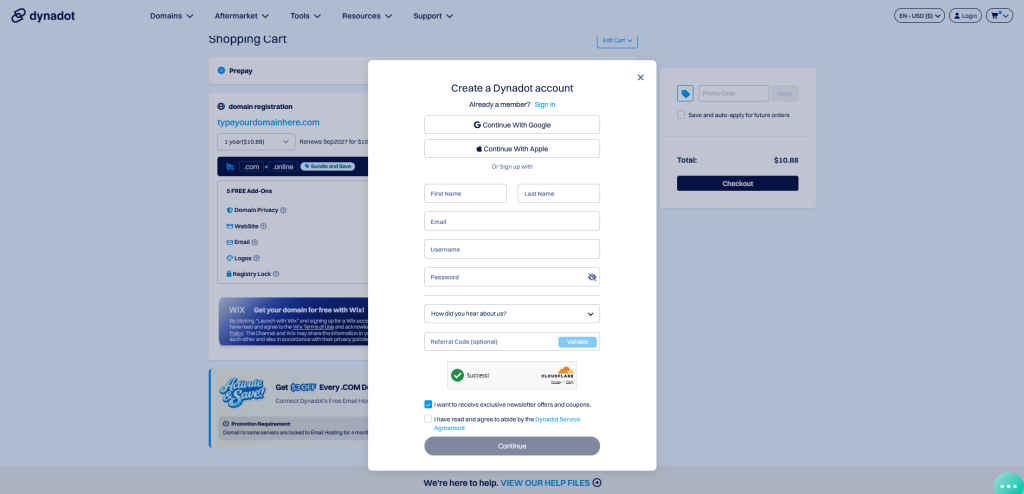
Quick tip: Use an email address you already have access to. Save your account details securely and keep the purchase confirmation.
You’re Done!
Your domain is registered. Save the confirmation email.
Next: buy your web hosting.
Something not working? If checkout fails, check your account verification and payment information, or contact Dynadot support. Do not submit the same payment repeatedly without checking your order status.
Want to know more? Read Choosing Your Domain Name in the Full Guide, Click Here.
| Down & Dirty Step 1 Buy Your Domain Name |
Next → Step 2 Buy Your Web Hosting |
